Hey there, if you’re reading this, odds are you’ve got a laser cutter that’s acting up—and let’s be real, there’s nothing more frustrating than being mid-job (say, those custom metal signs or thin acrylic prototypes you’ve been cranking out) and hitting a snag. I’m Jake, part of the team at a laser cutting machine supplier, and I’ve fielded every weird, last-minute panic question from operators over the last 7 years. Today, I’m walking you through the most common headaches we see, how to troubleshoot ‘em, and when to call in the pros (aka our team) instead of messing around and wasting materials. Let’s dive in, no fancy jargon, I promise. Laser Cutting Machine
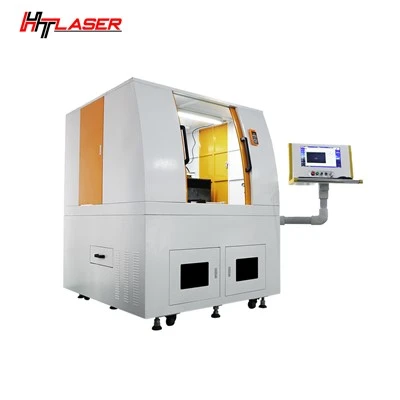
First off, let’s start with the most frequent complaint people hit: the laser isn’t cutting all the way through the material, or it’s leaving that fuzzy, charred edge that makes your parts look like they were made in a middle school wood shop. Don’t panic. First, let’s check the obvious stuff before you start ripping apart the machine. 9 times out of 10, this is a power issue. Wait—no, not just flipping the power button. Let’s get specific. Your laser tube’s power level is probably cranked too low, or the lens is dirty. Here’s the quick test: run a 1-inch test cut on the exact same material you’re using right now, with the power upped by 5%. If that cuts all the way, great—easy fix. But if not, grab a microfiber cloth (the lint-free kind, not your old t-shirt) and some isopropyl alcohol (90% or higher, 70% leaves streaks that mess with focus). Pop the nozzle off the head, gently wipe the outer lens and the smaller inner lens—don’t press hard, they crack if you do. I’ve seen people spend hours adjusting the machine just because they didn’t notice a chunk of dust on the lens. Another thing: your focus height. If you ran a different material last week and didn’t adjust it, that’s your problem. Focus height is basically how far the nozzle sits from the material. For most thin acrylic or mild steel, it’s 1-2mm, but thick stuff needs more. If you’re cutting ¼ inch steel and set it for 1/8, it won’t go all the way.
Next up: the machine’s making weird noises. Like, not the normal “whir of the fan” noise—we’re talking high-pitched squeals, clanks, or it sounds like it’s dragging something. This is another one that’s almost always fixable without a service call. First, check the linear rails and bearings. Those are the metal rods the cutting head slides on. If they’re caked with dust or metal shavings from previous jobs, the bearing can’t roll smoothly, so it squeals. Grab a can of compressed air (not a leaf blower—too much force can bend stuff) and blow out all the gunk, then add a tiny bit of white lithium grease, not WD-40. WD-40 is for loose hinges, not moving rails—it attracts dust and gets gummy after a week. If you hear clanking when the head moves, check the belts. The belts that pull the head along the X and Y axes—if they’re too loose, they skip and make a clank. Most machines have a tension knob on the side: twist it until you can lift the belt ½ inch from the rail, that’s the sweet spot. Only if the noise is coming from inside the control box or the laser tube itself should you call us. Those parts are sealed, and messing with them without knowing what you’re doing can blow a fuse, which is an expensive mistake.
Wait, another super common one: the cut is off. Like, the lines are wonky, or parts that should line up don’t, so your custom sign’s letters are misaligned. First, let’s rule out operator error—no shade here, I’ve done this too. Did you import the design wrong? A lot of people save their files as a PDF instead of a DXF or AI, and the laser software can’t read the vectors right, so it cuts a distorted outline. Double-check that your design is a vector file, not a raster image (those are the pixelated ones, like a photo—they can’t be cut cleanly). If the file is good, then it’s probably calibration. Most laser cutters need an XY calibration every 10-20 jobs, especially if you move the machine often. The calibration routine is in the software—usually, it’s a test pattern with lines you measure, then input the numbers back. I know it sounds tedious, but it takes 5 minutes and saves you from wasting a whole sheet of ¼ inch acrylic. Also, check if your material is warped. If the acrylic is bent, the head might not track the surface evenly, so the cuts are off. Lay a flat board over the material to hold it down, or use a vacuum table if your machine has one—we sell those as an add-on, by the way, they’re a game-changer for flat cuts.
Now, something that keeps operators up at 2AM: the machine pauses mid-job, or the error code pops up. I won’t lie, error codes can be scary at first—some are just basic, others need a pro. First, write down the exact error code. Our team gets calls all the time where people say “it just said something wrong” and we can’t help them without the code. If it’s an E01 or E02, that’s usually a power or overheat issue. Check the chiller first—your laser tube needs to stay at a steady temp, usually 18-22C, so if the chiller is clogged with dust, it can’t cool the tube and it shuts down. Unplug the chiller, empty the water tank (don’t use tap water—use distilled, tap has minerals that build up), wipe the filter, refill with distilled, and plug it back in. That fixes 70% of E-code errors. If it’s an E05, that’s a motor error—most likely, the limit switch is stuck. The limit switches are the tiny little buttons at the ends of the rails that tell the head when it’s at the edge. Give ’em a gentle press a few times, they get gunked up with dust and stick, and the machine thinks it’s crashing. If none of that works, send us a message with the error code, your machine model, and what material you’re cutting, and we’ll walk you through it—no pushy sales pitch, we just want to get you back to work.
Wait, let’s talk about material-related issues too, because a lot of people blame the machine when it’s just the stuff they’re using. If your cut has a lot of smoke or flame, that’s usually because the assist air is too low. Most laser cutters use compressed air to blow smoke away from the lens and cool the cut—if the air pressure is set too low, smoke builds up on the lens and makes cuts bad, plus it can cause small flames on flammable materials like wood. Most machines have a pressure gauge—set it to 0.5-0.7 MPa for acrylic, 0.6-0.8 for mild steel. If you’re cutting fabric, use a lower pressure, like 0.3 MPa, so you don’t blow the fabric around. Also, make sure the air nozzle isn’t clogged—use a paper clip to gently clear the tiny hole in the nozzle, don’t use a metal tool, you can bend it.
Another thing I see way too often: people not doing regular maintenance, which leads to big problems. This isn’t a “boring chore” thing, it’s how you keep your machine running for years. At minimum, do a weekly check: blow out dust from the rails, check the lens, tighten the belts. Do a deep clean every month: empty the chiller, check the exhaust fan (make sure it’s not clogged with lint, that’s another reason for smoke buildup), and inspect the laser tube for cracks. If you see a tiny crack in the tube, don’t keep using it—they can leak or even break, and that’s a safety hazard. We sell replacement tubes, and our team can show you how to swap it out in 10 minutes if you’re comfortable, no need for a service call unless you want one.
Now, let’s talk about when to call in help. There’s no shame in it—laser cutters are complex, and I’d rather you not mess up a part that costs $500 worth of material. If you tried all the troubleshooting steps and the problem is still there, or if you hear a grinding noise that’s definitely not from a rail, or if the laser tube is flashing red light nonstop—hit us up. We’re not just here to sell machines, we’re here to support you. A lot of our customers are small business owners, hobbyists, even schools, and we know how important it is to keep their machines running. We’ve got 24/7 support for urgent issues, so if your machine breaks at 8PM on a Friday before a big deadline, we’ll answer.
Wait, one last quick tip: keep a spare set of parts on hand. A lens, a nozzle, a belt tensioner—these are cheap and easy to store, and if something goes wrong, you can swap it in 2 minutes instead of waiting for a part to ship. We sell starter maintenance kits that have exactly what you need, and they’re way cheaper than a service call for a tiny part.

Look, I know dealing with a broken laser cutter is stressful, but 90% of the time, it’s a super simple fix—dust, a loose belt, a dirty lens, not cranking the power enough. You don’t need to be an engineer to get through most of these. If you’re in the market for a new laser cutter, or you want to upgrade to one that’s easier to maintain, or if you just need help with a problem, reach out. We’re here to make your life easier, not harder.
Laser Engraving Machine References:
- Laser Cutting Machine Operation & Maintenance Guide, 2023
- National Institute of Standards and Technology (NIST) Guidelines for Laser Cutting Troubleshooting, 2022
- Common Industrial Laser System Error Code Reference, Laser Association of North America (LANA), 2021
Shenzhen Chinasky Laser Technology Co., Ltd.
As one of the most professional laser cutting machine manufacturers and suppliers in China, we have world-leading production equipment and strong manufacturing capabilities. Please feel free to buy high quality laser cutting machine for sale here from our factory. Customized orders are welcome.
Address: 1-3F, BUILDING B1, NO. 3 JUYING 1ST STREET, LIUYUE COMMUNITY, HENGGANG SUBDISTRICT, LONGGANG DISTRICT, SHENZHEN, CHINA
E-mail: frank@cstlaser.com
WebSite: https://www.htlasertech.com/
