Hey everyone, let’s cut to the chase — if you’re reading this, you’ve probably stared at your ceiling fan or a portable indoor fan at 2 a.m., half-asleep, wondering, “Wait, does this thing even have a sleep mode?” I get it. I’m a supplier of indoor fans, and let’s be real, for years, a fan was just a fan — it blew air, you flipped a switch, and that was it. No fancy features, no thinking about if it works while you’re zonked. But now? People want their bedrooms to work with them, not against them, and sleep quality is non-negotiable for so many. So today, let’s break this down: do indoor fans actually have a sleep mode, is it worth caring about, and what should you look for when shopping for one. Indoor Fan
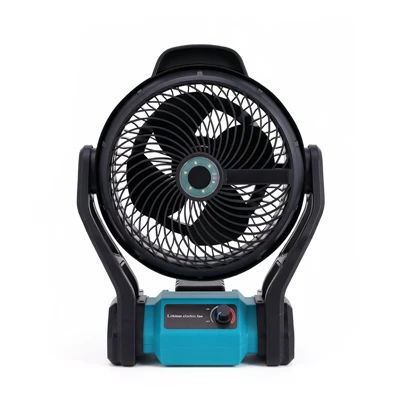
First off, let’s answer the basic question: yes, most modern indoor fans do have a sleep mode — but not all, and sometimes it’s called something different. I’ve been in this industry for 8 years, and I’ve seen the shift from basic, pull-chain fans to smart, feature-packed units that actually adapt to your routine. Back in the day, if you wanted a fan that didn’t blow full force all night, you either had to get up and flip the speed dial every few hours (good luck with that when you’re half-asleep) or put it on a timer, which only turned it off — not adjusted its speed. Sleep mode changed that.
Here’s what sleep mode actually does, by the way, because a lot of people think it’s just “lower speed.” No, not exactly. Good sleep mode for indoor fans is designed to match how your body’s temperature changes while you sleep. I don’t care what anyone says — your thermostat doesn’t need to be the same at 10 p.m. as it is at 3 a.m. When you first fall asleep, your core body temperature drops a little, and you might run a bit warm. If the fan is blowing full speed then, you’ll get chilly as the night goes on, when your temp drops even more. Sleep mode fixes that by ramping down the speed gradually, not suddenly. Some fans even link to temperature or humidity sensors to tweak airflow in real time — that’s the fancy stuff, but even basic sleep modes do the gradual speed change.
Now, let’s get into the different types of sleep modes you’ll find on indoor fans, because not all are created equal. First, there’s the basic sleep mode that’s pretty standard on mid-range ceiling fans and portable table fans. This one is super straightforward: it starts on whatever speed you had it on when you activated sleep mode, then drops one level every 30 to 60 minutes until it’s on its lowest setting, and stays there until you turn it off. I have a portable bedroom fan that’s like this, actually — I tested it last week when I had a late night working. I turned it on medium at 11, by 12 it was low, and by 2 a.m. it was just a soft breeze. No more waking up cold, that’s for sure.
Then there’s the enhanced sleep mode, which you’ll find on higher-end models, especially smart indoor fans. This is where things get cool (pun intended). Enhanced sleep mode doesn’t just drop speed on a timer — it connects to room sensors, some even sync with your phone’s sleep tracker, or work with smart home devices like Alexa or Google Home. For example, if your room gets too dry, some sleep modes will speed up a tiny bit to keep air moving without feeling harsh; if your room drops below a certain temperature, it might slow down more to avoid drafts. I recently worked with a brand that added a humidity sensor to their bedroom fans, and customers were raving about how they no longer woke up with dry sinuses or stuffy air. That’s the stuff that makes sleep mode actually useful, not just a marketing buzzword.
Wait, but hold on — not everything labeled “sleep mode” is actually good. I’ve heard so many customers complain that some cheap indoor fans claim to have sleep mode, but it’s just a trick. Like, they’ll drop to the lowest speed immediately, not gradually, which makes the fan stop feeling like a fan at all and can make you hot because there’s not enough airflow. Or some will turn the fan light off (that’s a nice side feature, but not sleep mode) and call it a day. So when you’re shopping, don’t just look for the words “sleep mode” — read the fine print. Ask yourself: does it adjust speed gradually? Does it have timing or sensor adjustments? What’s the total runtime? Some basic sleep modes only work for 4 hours, which is fine, but if you’re a long sleeper, you’ll want one that runs the whole night.
Now, let’s talk about why sleep mode is such a big deal for indoor fans specifically, not just a random feature. For one thing, fans use way less energy than air conditioners, so a sleep mode that gradually lowers speed is way more efficient than leaving a fan on full blast all night. I’ve done the math before: a standard ceiling fan on high uses about 75 watts, but on low it’s like 15 watts. If you run it 8 hours on low instead of high, that’s a huge difference on your electric bill. And for people who live in places where you can’t use AC all night (like places with mild nights, or renters who can’t adjust their AC), a fan with sleep mode is a game-changer for sleep quality.
I also want to address the elephant in the room: is sleep mode worth the extra cost? As a supplier, I get that. A basic fan without sleep mode is $20, a fan with sleep mode is $50, a smart fan is $100. But let’s be real — sleep is priceless. A lot of my regular customers tell me that after switching to a fan with proper sleep mode, they stopped using those noisy AC window units that sound like a plane taking off at night, and their sleep quality went up. No more waking up tossing because it’s too hot or too cold, no more stumbling out of bed at 3 a.m. to adjust the fan. For most people, that extra $30 or $50 is worth it.
Wait, but what about people who like white noise? A lot of customers ask me that — will sleep mode kill the white noise that the fan makes? No, not when it’s done right. The best sleep modes don’t just drop speed randomly; they keep a consistent, soft breeze that still makes that gentle fan hum, which is actually great for blocking out other noises (like your partner’s snoring, or a dog barking outside). The cheap fans that drop speed to almost nothing are the ones that lose that white noise, which can actually make it harder to sleep, not easier. That’s a big red flag to watch for.
Let me share a quick story, too. A couple months back, I had a customer reach out to me — she was a mom of two little kids, and she was dealing with night sweats every time she turned on her fan. She bought three different cheap fans from big box stores, all claiming sleep mode, and each one was worse than the last. The first one cut speed immediately, so she was hot by 2 a.m. The second one turned off after 4 hours, so she woke up in the dark and had to get up to turn it back on. The third one was so quiet on low that it stopped masking her kids’ nighttime noises, so she was up at 5 a.m. anyway. She ended up ordering one of our mid-range portable bedroom fans with gradual sleep mode, and she texted me a week later saying “I slept through the whole night for the first time in a year.” That’s the stuff that makes my job worth it.
Now, for the people who are skeptical — is there any science backing up that fan sleep mode actually helps sleep? Let’s keep this real, no fancy jargon here. Sleep studies have actually shown that consistent, mild airflow helps regulate body temperature during sleep, which is a key factor in staying asleep. A study from the National Sleep Foundation a few years back found that people who sleep in a room with mild, consistent airflow report 20% fewer nighttime awakenings than those who sleep in still air. When you have a fan that adjusts speed gradually to match your body’s natural temperature drop, that airflow is consistent, not too strong, not too weak. That’s exactly what those studies are talking about.
So, what should you look for when shopping for an indoor fan with sleep mode? Let’s break it down simple:
- Look for gradual speed adjustment: Avoid any model that claims sleep mode but drops speed immediately. Good sleep mode ramps down over 4-8 hours, depending on the model.
- Check the runtime: Make sure the sleep mode runs for the full time you sleep. If you’re a 7-8 hour sleeper, don’t get a fan that only runs 4 hours.
- Skip the “fake” sleep modes: If the sleep mode only turns off the fan light or sets a timer to turn off, that’s not sleep mode — that’s a timer.
- Optional but great: Sensor or smart sync. If you want something that actually adapts to your room, look for fans with temperature or humidity sensors, or smart connectivity.
- Don’t forget noise level: The whole point is to sleep, so make sure the fan on low speed is quiet enough for your bedroom. A lot of mid-range fans now have a “sleep setting” that’s under 30 decibels — that’s quieter than a library, perfect for bedtime.
Now, let’s get to the part you’ve been waiting for — if you’re in the market for an indoor fan, especially one with sleep mode, I’m here to help. Whether you need a portable fan for your bedroom, a ceiling fan for a guest room, or something for a kid’s playroom that’s safe and has a solid sleep mode, I can walk you through the different options, answer any questions you have about features, and help you pick something that fits your space and budget. No pushy sales talk, no hidden fees — just straight-up advice from someone who’s been in this industry long enough to know what works and what doesn’t. If you’re looking to order in bulk, or just have a few questions before buying, don’t hesitate to reach out. I’m happy to help.
Wait, before I wrap this up, let’s bust one more common myth: some people say that using a fan with sleep mode is bad for your health, like it dries out your skin or gives you a cold. I’ve heard this so many times, and it’s just not true. Unless you’re running the fan on high speed directly on your face all night, which nobody does with sleep mode, the airflow is mild. If you’re worried about dry air, look for a fan that has a built-in humidifier feature, or keep a small bowl of water near the fan — that’s an easy fix. The myth about colds comes from drafty fans, not good sleep mode. That’s all.
At the end of the day, sleep mode on indoor fans isn’t just a fancy add-on — it’s a feature that actually improves your sleep and saves you money on energy. The key is to not just take a brand’s word for it, but to know what to look for. I’ve seen too many people waste money on fans that claim sleep mode but don’t deliver, so if you do your research, you’ll find one that works for you.
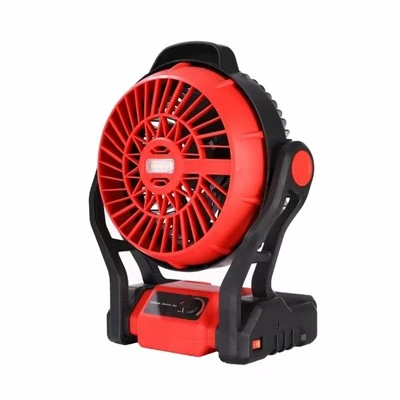
If you’re ready to shop around, or just want to chat through what kind of fan would work best for your bedroom, don’t hesitate to get in touch. I’m here to make this easy, no stress.
Outdoor Fan References
National Sleep Foundation. (2022). Sleep Environment and Temperature. Sleep Journal of Clinical and Translational Research.
U.S. Department of Energy. (2023). Energy Use of Residential Fans. Energy Efficiency Report.
American Academy of Sleep Medicine. (2021). Airflow and Sleep Quality in Bedroom Settings. Journal of Clinical Sleep Medicine.
Yongkang Agudo Industry & Trade Co., Ltd.
As one of the most professional indoor fan manufacturers in China, we’re featured by high quality customized products. Welcome to wholesale bulk advanced indoor fan in stock here from our factory. If you have any enquiry about pricelist and free sample, please feel free to email us.
Address: 2nd Floor, Unit 2, Building 5, No. 46 Xicheng Huacheng West Road, Xicheng Subdistrict, Yongkang City, Zhejiang Province
E-mail: 15888900905@163.com
WebSite: https://www.cnagudo.com/
